


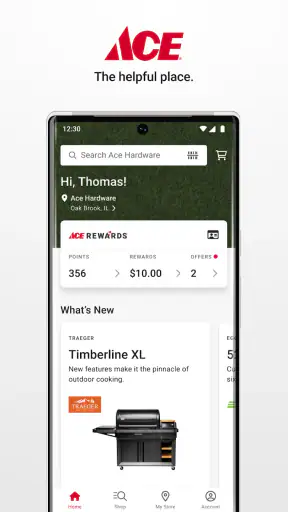
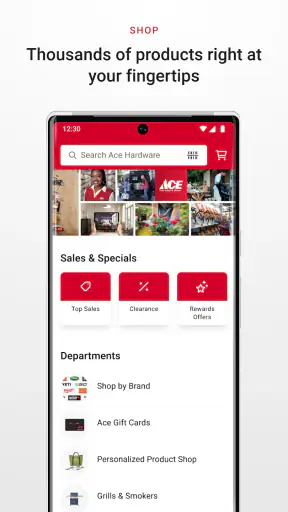
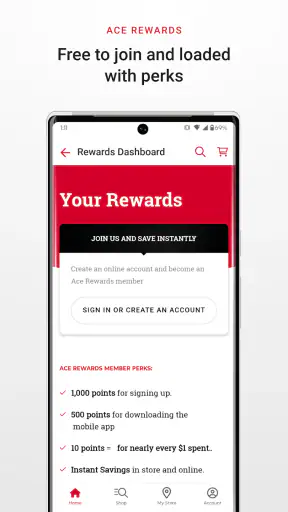
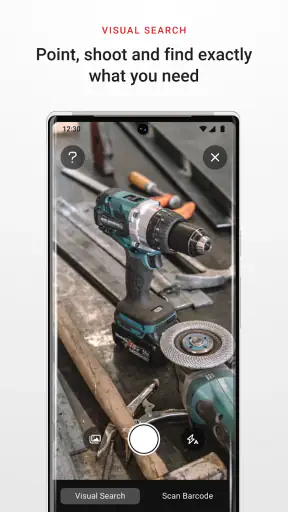
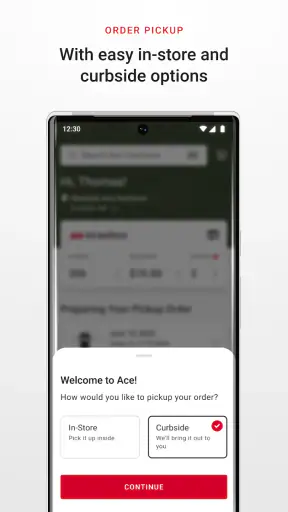
I installed Ace Hardware: Home Improvement to see whether it is genuinely useful for everyday shopping or simply a digital version of a hardware-store catalog. My impression is that it works best as a practical companion when I already know what kind of project I am planning and want to make the trip to an Ace store more focused. It is a free shopping app from Ace Hardware Corporation, aimed at paint, tools, barbecue equipment, lawn care, and home maintenance rather than general online shopping.
That focus matters. I would not use it as my only source for comparing every possible brand or finding the absolute lowest price across the internet. I would use it when I need a replacement part, supplies for a repair, or a quick way to prepare before visiting a local store. The app has reached over a million installs and carries a 4.7 average from around 87 thousand ratings, which suggests that many shoppers find the store-specific approach worthwhile.
What the app feels like in everyday use
The first thing I noticed is that this is a shopping tool built around a physical retail relationship. Instead of treating home improvement as an abstract online marketplace, it points my attention toward the kinds of items I might need for a real task: paint, power tools, lawn products, barbecue accessories, fasteners, and maintenance supplies. That makes the experience more useful when I am standing in the middle of a project and do not want to browse unrelated products.
A realistic example is a Saturday repair. I might discover a leaking outdoor connection, realize that I need a replacement fitting and sealant, and open the app before driving anywhere. The useful workflow is not just searching for a product name. I can think through the job first, identify the type of item required, check the available shopping information, and then decide whether an Ace visit makes sense. That small preparation can prevent a wasted trip, although I would still verify the exact size, compatibility, and condition of the item before leaving.
The app is also a reasonable starting point for larger household jobs. For painting, I can use it to organize my shopping around the project rather than remembering individual products one at a time. For lawn care, it can help me begin with the category that matches the season or problem I am facing. For barbecue maintenance, it is more convenient than searching a broad marketplace where accessories from different models are mixed together.
What I appreciate is the relationship between the digital search and the local-store mindset. What I find less appealing is that this same focus can feel restrictive if I want a broad comparison across competing retailers. A general shopping app may offer more sellers, more user-generated comparisons, and a wider range of unusual parts. Ace Hardware: Home Improvement makes more sense when the store itself is already one of my preferred places to shop.
Finding the right item without rushing the decision
Home-improvement shopping is full of near-matches. A screw can look right but have the wrong thread, a tool battery can belong to a different system, and a grill accessory can fit one model while being useless for another. I found that the app is most helpful when I approach search with the project details already in mind. I would note the brand, model, dimensions, and intended use before relying on a product result.
This is one of the more important practical tips: I would not search only for a vague phrase such as “replacement filter” or “garden hose.” I would narrow the request with the equipment model, size, or material whenever possible. That reduces the chance of choosing an item that looks similar in a thumbnail but does not solve the actual problem. The app can support the shopping process, but it cannot replace measuring the old part or reading the label on the equipment.
For paint, I would also treat the app as a planning aid rather than a substitute for seeing a color in person. Screen displays vary, and the condition of a wall can change how a color appears. The sensible workflow is to use the app to prepare a shortlist, then inspect the real product and ask store staff for help when the finish or surface matters.
That distinction separates a useful shopping assistant from an overconfident one. I like having a digital place to begin, but I would not let a convenient search result make a technical decision for me. The app is strongest at reducing friction before a purchase, not at taking responsibility for every compatibility question.
Trust, account choices, and information I would check
Because this is a retail app, I pay attention to what I am being asked to do before I can shop comfortably. I prefer to browse first and decide later whether creating or using an account is worthwhile. That gives me a chance to judge whether the app saves enough time to justify sharing additional information or managing another login.
I would read each visible prompt carefully rather than accepting every option automatically. If the app offers choices related to notifications, location, account access, or shopping preferences, I would select only what supports my intended use. A person who shops at Ace regularly may find account access convenient, while an occasional visitor may prefer to keep the visit focused on product discovery and store preparation.
My rule is simple: use the smallest amount of access and personal information that still makes the app useful.
I also separate shopping convenience from trust. A high rating is encouraging, but it does not tell me that every permission or account setting will suit my habits. The app’s 9.5 thousand reviews provide a substantial body of user feedback, yet I would still look at the screens in front of me and make my own choices. Menus and prompts can change with updates, so visible controls matter more to me than assumptions based on the app’s reputation.
The developer is Ace Hardware Corporation, and the app is intended for Everyone. That broad age classification makes it approachable for household shoppers, but it does not mean every product decision is simple. Chemicals, power equipment, ladders, and electrical supplies still require adult judgment and careful reading of labels and instructions.
Moments when I would be especially careful with data
The most data-sensitive moments are the ones where a shopping app becomes more personalized. A store-focused experience can be more convenient when it knows which location I care about, remembers preferences, or connects shopping activity with an account. At the same time, I would pause before enabling anything that is not clearly needed for the immediate task.
If I am only checking whether a particular type of product is sold, I would not assume that every account or device setting is necessary. If I am preparing for a store visit, I would review the selected location and make sure it is the one I actually intend to use. This is a small but important habit because local shopping information is only useful when it relates to the correct store.
I would also be cautious when using the app in a shared household. Signing in on a family tablet or leaving an account open on a device that other people use can make shopping activity more visible than intended. I prefer to review account controls and sign out when the device is not private. That is not a criticism unique to this app; it is simply sensible behavior for any retail service that can remember shopping details.
Notifications deserve the same attention. They can be useful if I am actively planning a purchase, but they can become distracting when I am not shopping. I would enable only the alerts I can explain to myself, then revisit the choice after the project is finished. A good shopping tool should fit around my household routine, not turn every spare moment into a sales prompt.
My cautious approach also applies to product reviews and recommendations. I treat them as clues, not proof that an item will work in my home. A review from another shopper may describe a different appliance, climate, surface, or installation method. I would use the app to gather possibilities, then confirm the technical details through packaging, manuals, measurements, or store assistance.
Where the local-store model helps—and where it does not
Compared with a general marketplace, this app feels more relevant when I want hardware-store categories in one place. I am less likely to be distracted by unrelated goods, and the shopping context matches the practical nature of the purchase. That is valuable when I am trying to finish a repair rather than browse for entertainment.
A general marketplace is often better for price hunting, rare parts, used equipment, or products from many sellers. It may also make it easier to compare several retailers at once. I would choose that route if I had a non-urgent purchase and wanted to investigate a wide range of brands before committing.
A dedicated manufacturer app can be better when the question is highly technical. For example, if I need detailed support for a particular power-tool platform or appliance, the manufacturer’s own resources may provide more specialized guidance. Ace’s app is more useful for the shopping stage: identifying what might be available through the retailer and preparing for a purchase.
The trade-off is convenience versus breadth. Ace Hardware: Home Improvement gives me a more focused route into home-maintenance shopping, but I should not mistake focus for complete market coverage. That is why I see it as one part of my decision process, not an automatic replacement for manuals, measurements, expert advice, or comparison shopping.
Small habits that make the app more useful
My first useful habit is to search by task and then refine by product details. If I begin with “fix a dripping connection,” I can think about the fitting, seal, tool, and material involved. I then narrow the search using the information from the old part. This is more reliable than tapping the first visually similar result.
My second habit is to prepare a short list before going to the store. I write down the main item, the supporting supplies, and one fallback option. That matters because home projects often fail when I remember the headline purchase but forget the small accessory needed to install it. The app is particularly valuable here as a preparation step, even when I complete the final decision in person.
My third habit is to treat store information as something to recheck close to the visit. A product page can help me plan, but stock and local availability are practical details that deserve a final look. I would not drive across town based on an old screenshot or an assumption that every store carries the same selection.
A fourth tip is to keep technical evidence with me. For a replacement part, I would photograph the label or write down the model number before opening the app. For paint, I would record the existing color and finish. For lawn equipment, I would note the machine model and the size of the area involved. These details make the app more effective because they improve the quality of my search.
Finally, I would use the app differently for urgent and non-urgent purchases. For a broken household item that needs attention today, I would prioritize a nearby store and a confident fit over prolonged comparison. For a future project, I would take more time to compare alternatives and read the product information carefully. The app supports both situations, but the right level of checking depends on the consequences of getting the purchase wrong.
Who should use it, and who may prefer something else
I think it is a good match for homeowners, renters who handle their own small repairs, gardeners, barbecue owners, and anyone who frequently visits Ace for practical supplies. It is especially useful for people who dislike wandering through a hardware store without a plan. The free price lowers the barrier to trying it, and the broad Everyone rating makes it suitable for general household shopping.
I would recommend it to a friend who already shops at Ace and wants a more organized way to prepare. I would also suggest it to someone starting a paint, lawn, or maintenance project who needs a retailer-centered place to begin. The app’s current version is 4.1.3, and it supports devices running Android 7.1 or later, so compatibility is worth checking before installation on an older phone.
I would not make it my first recommendation for someone who wants a universal price-comparison service, a secondhand marketplace, or highly specialized technical documentation. It may also be unnecessary for a person who buys hardware only once every few years and prefers to ask a store employee directly. In that case, the app could add another step rather than remove one.
It is also not the right tool for avoiding all in-person decisions. Paint appearance, part fit, tool ergonomics, and the condition of a physical product can be difficult to judge from a phone. I would use the app to narrow the field, then switch to hands-on inspection or expert help whenever the mistake would be expensive, unsafe, or difficult to reverse.
My cautious verdict after using it
After spending time with Ace Hardware: Home Improvement, I see it as a focused shopping companion rather than a complete home-improvement adviser. Its strength is the connection between common household projects and a local hardware-store shopping experience. It can help me prepare, search with more purpose, and avoid entering a store without knowing what I need.
Its limitations are just as important. I still need to verify measurements, compatibility, product instructions, and local availability. I also prefer to review account prompts, notification choices, and any request for device access instead of accepting them automatically. Those habits do not make the app difficult to use; they make the experience more deliberate.
The app has a 4.7 average, more than a million installs, and a free download, so it is easy to test without a financial commitment. For me, the decision comes down to shopping habits: if Ace is already part of my home-maintenance routine, the app earns a place on my phone. If I mainly want the widest possible marketplace or the deepest technical support, another service will probably serve me better.
My final recommendation is cautious but positive. I would install it before a planned Ace visit, use it to build a project-specific shopping list, check the relevant store details close to departure, and keep control of optional account and notification choices. Used that way, it is a practical tool with a clear purpose—not a replacement for judgment, but a useful way to make everyday hardware shopping less scattered.


